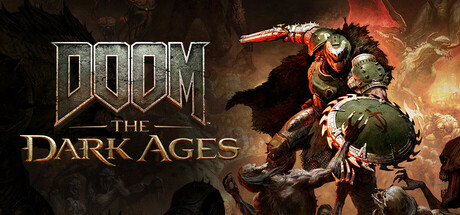
Can I run DOOM: The Dark Ages?
DOOM: The Dark Ages needs at least NVIDIA or AMD hardware Raytracing-capable GPU with 8GB dedicated VRAM or better…, and NVIDIA or AMD hardware Raytracing-capable GPU with 10GB dedicated VRAM or… is recommended. Below: estimated FPS for popular graphics cards and a free check for your own PC.
- ReleaseMay 14, 2025
- Playing now534
- Steam user reviews88 % positive
- Steam DeckVerified
- ProtonDBgold
Will it run on my PC?
On a phone? Enter the parts of your PC, the detector only runs on the PC itself.
Enter your graphics card and processor, the result appears right away.
DOOM: The Dark Ages system requirements
| Minimum | Recommended | |
|---|---|---|
| OS | Windows 10 64-Bit / Windows 11 64-Bit | Windows 10 64-Bit / Windows 11 64-Bit |
| Processor | AMD Zen 2 or Intel 10th Generation CPU @3.2Ghz with 8 cores / 16 threads or better (examples: AMD Ryzen 7 3700X or better, or Intel Core i7 10700K or better) | AMD Zen 3 or Intel 12th Generation CPU @3.2Ghz with 8 cores / 16 threads or better (examples: AMD Ryzen 7 5700X or better, or Intel Core i7 12700K or better) |
| Graphics | NVIDIA or AMD hardware Raytracing-capable GPU with 8GB dedicated VRAM or better (examples: NVIDIA RTX 2060 SUPER or better, AMD RX 6600 or better) | NVIDIA or AMD hardware Raytracing-capable GPU with 10GB dedicated VRAM or better (examples: NVIDIA RTX 3080 or better, AMD RX 6800 or better) |
| Memory | 16 GB RAM | 32 GB RAM |
| Storage | 100 GB available space | 100 GB available space |
Estimated FPS in DOOM: The Dark Ages
High settings, no upscaling, with a fast processor (Ryzen 7 7800X3D). Estimates from the game's requirements, not benchmarks.
✓ Checked against real benchmarks, values corrected for this game.
| Graphics card | 1080p | 1440p | 5120×1440 | 4K |
|---|---|---|---|---|
| GTX 1060 6GB | ✗ RT | ✗ RT | ✗ RT | ✗ RT |
| GTX 1660 Super | ✗ RT | ✗ RT | ✗ RT | ✗ RT |
| RTX 2060 | 24 | 15 | 9 | 8 |
| RTX 3060 | 53 | 39 | 23 | 20 |
| RTX 4060 | 52 | 28 | 15 | 13 |
| RTX 4060 Ti 8GB | 62 | 33 | 17 | 16 |
| RTX 4060 Ti 16GB | 67 | 50 | 33 | 30 |
| RTX 5060 | 63 | 34 | 18 | 16 |
| RTX 5060 Ti 8GB | 73 | 39 | 20 | 18 |
| RTX 5060 Ti 16GB | 79 | 58 | 39 | 36 |
| RX 9060 XT | 74 | 55 | 36 | 33 |
| RTX 3070 | 68 | 37 | 19 | 17 |
| RTX 4070 | 90 | 67 | 39 | 34 |
| RTX 5070 | 108 | 80 | 46 | 41 |
| RX 7800 XT | 95 | 70 | 47 | 43 |
| RX 9070 XT | 138 | 102 | 68 | 62 |
| RTX 5070 Ti | 137 | 102 | 67 | 62 |
| RTX 4080 | 145 | 107 | 71 | 65 |
| RTX 5080 | 147 | 117 | 77 | 71 |
| RTX 4090 | 147 | 138 | 92 | 84 |
| RTX 5090 | 147 | 147 | 116 | 107 |
For your own PC: enter your graphics card and processor under Will it run on my PC? and you get the estimated FPS at every resolution and quality, with or without upscaling. Hardware you already entered on this site is filled in automatically.
Hardware ray tracing required. DOOM: The Dark Ages does not start on graphics cards without ray-tracing hardware (GeForce GTX, Radeon RX 5000 and older, Intel UHD/Iris Xe), however fast they are. You need a GeForce RTX, Radeon RX 6000 or newer, or Intel Arc. Community workarounds exist, but not out of the box.
Steam Deck, Valve rating: Verified
Which graphics card do I need for DOOM: The Dark Ages?
The cheapest current graphics card that reaches each goal, paired with a fast processor.
- 1080p High · 60 FPSGeForce RTX 5060 8 GB ~63 FPSView on Amazon* ↗Newegg ↗
- 1440p High · 60 FPSRadeon RX 9070 16 GB ~93 FPSView on Amazon* ↗Newegg ↗
- 1440p High · 144 FPSGeForce RTX 5090 32 GB ~147 FPSView on Amazon* ↗Newegg ↗
- 4K High · 60 FPSRadeon RX 9070 XT 16 GB ~62 FPSView on Amazon* ↗Newegg ↗
Gaming on a laptop, or on an older PC where a new graphics card alone won't help? Enter your hardware under Will it run on my PC? and you get a matching gaming laptop or complete PC instead.
What PC do I need for DOOM: The Dark Ages? Build a complete, compatible PC →
Prices change often, check the current price in the store. Price check: 11/13/2026. * Affiliate links (advertising): as an Amazon Associate I earn from qualifying purchases. The price stays the same for you.
Best graphics card for DOOM: The Dark Ages, every GPU ranked →
Optimize and fix performance
Deeper guides and known fixes for DOOM: The Dark Ages, straight from the communities and databases PC players trust. We link out, so every tip comes from the real source.
Frequently asked questions
- Can I run DOOM: The Dark Ages?
- DOOM: The Dark Ages needs at least NVIDIA or AMD hardware Raytracing-capable GPU with 8GB dedicated VRAM or better…, and NVIDIA or AMD hardware Raytracing-capable GPU with 10GB dedicated VRAM or… is recommended. Enter your graphics card and processor above to see your estimated FPS, or check your whole Steam library at once.
- What are the system requirements for DOOM: The Dark Ages?
- Minimum: graphics NVIDIA or AMD hardware Raytracing-capable GPU with 8GB dedicated VRAM or better…, processor AMD Zen 2 or Intel 10th Generation CPU @3.2Ghz with 8 cores / 16 threads or bett, RAM 16 GB RAM. Recommended graphics card: NVIDIA or AMD hardware Raytracing-capable GPU with 10GB dedicated VRAM or….
- What PC do I need for DOOM: The Dark Ages?
- For 1080p at high settings and 60 FPS, the cheapest current graphics card that gets there is the GeForce RTX 5060 8 GB (an estimated 63 FPS), paired with a fast processor. The PC builder puts together a complete, compatible parts list for DOOM: The Dark Ages.
- Can I run DOOM: The Dark Ages on the Steam Deck?
- DOOM: The Dark Ages is rated Verified on Steam Deck by Valve. On Linux and SteamOS, ProtonDB users rate it gold. Pick the Steam Deck profile above, or see the Steam Deck page, for an estimated Deck frame rate.